Charts in JavaScript
Charts are far better for displaying data visually than tables and have the added benefit that no one is ever going to press-gang them into use as a layout tool. They’re easier to look at and convey data quickly, but they’re not always easy to create.
Steps for adding a Chart using JavaScript:
- You should add Chart.js file also the rest files (index.html/style.css/…)
- Prepare a place in your HTML to render the chart.
- Prepare the data.
- Draw a line.
- Draw a line.
Basic Usage of canvas (HTML):
The (canvas) element in HTML is used to draw graphics, on the fly, via JavaScript. The (canvas) element is only a container for graphics. You must use JavaScript to actually draw the graphics. Canvas has several methods for drawing paths, boxes, circles, text, and adding images.
The (canvas) tag is intended to allow different styles of drawing. To get access to an actual drawing interface, we first need to create a context, an object whose methods provide the drawing interface. There are currently two widely supported drawing styles: “2d” for two-dimensional graphics and “webgl” for three-dimensional graphics through the OpenGL interface.
Drawing shapes with canvas:
Unlike SVG, canvas only supports one primitive shape - rectangles. All other shapes must be created by combining one or more paths. Luckily, we have a collection of path drawing functions which make it possible to compose very complex shapes.
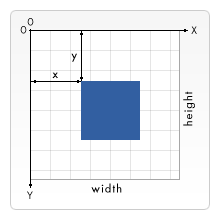
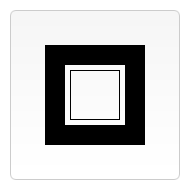
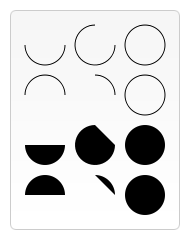
And we also can add colors and styles in javascript,. but If we want to apply colors to a shape, there are two important properties we can use: fillStyle and strokeStyle.
## the syntax for fillStyle:
ctx.fillStyle = color;
ctx.fillStyle = gradient;
ctx.fillStyle = pattern;
Drawing text:
To draw text on a canvas, the most important property and methods are:
- font - defines the font properties for the text.
- fillText(text,x,y) - draws “filled” text on the canvas.
- strokeText(text,x,y) - draws text on the canvas (no fill).
